




Welcome to LinStore!
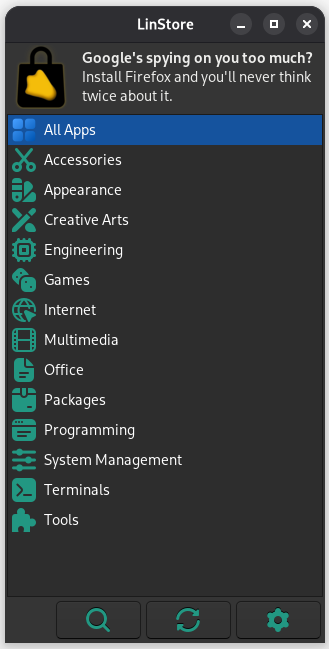
LinStore is the Linux desktop's best app store, but it's also the lightest and fastest graphical store available, using less RAM than another popular lightweight app store.^
With a simple GUI and fast features, it's the best choice for easy package management on Linux! More apps are being added all the time, making it the perfect choice for finding the latest and greatest software that works on your Linux system.
Unlike many other lightweight app stores, LinStore works on 64-bit, 32-bit and ARM-based computers!
^ When compared to Pi-Apps' 9.8MB usage, LinStore uses 8.8MB
Install LinStore
To install LinStore, run the following command:
curl -s -L https://raw.githubusercontent.com/techguy16/LinStore/main/install | bashManually install LinStore
git clone https://github.com/techguy16/LinStore ~/.linstore
cd ~/.linstore
chmod +x install
./install
Launching LinStore
To launch LinStore:
- In GNOME: Find LinStore in your dash
- Other desktop environments: Find LinStore in the "System" or "System Tools" category of your launcher
To launch LinStore via the command line, run:
~/.linstore/guiSupported operating systems
 Debian 13/12/11
 Ubuntu 24.04/22.04/20.04 LTS
 Linux Mint 22.x/21.x/20.x
 Pop!_OS 22.04/20.04
 Raspberry Pi OS - versions based on supported Debian versions (after Nov 8, 2021)
Important details
Installing Pi-Apps apps
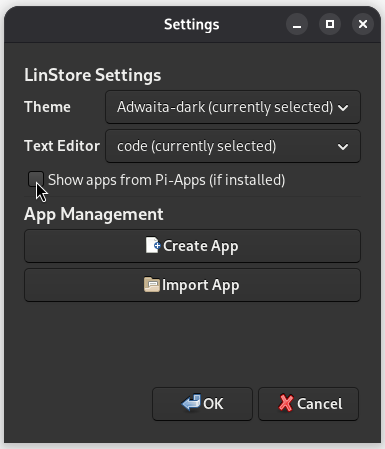
LinStore has the ability to install non-package apps from Pi-Apps.
To do so, import a ZIP file for a Pi-Apps app or enable the
"Show apps from Pi-Apps (if installed)" option in LinStore's settings, which will show Pi-Apps' app library if installed.
install_package and remove_package are separate scripts, unlike Pi-Apps which uses a single large script (manage).